
Duplicate data entry
The same customer, order or invoice is typed into CRM and ERP because nothing keeps them aligned.

System and API integration · ERP · CRM · SaaS
We connect the apps you already run (CRM, ERP, payments, shops, cloud and custom software) so records move reliably in both directions. One controlled flow at a time, with a clear path when something fails.
The assessment checks feasibility and risk. Fixed-scope work is quoted after we qualify the brief. This page is not a public price list.
When systems disagree
When two tools both claim to be up to date, people retype the same record. A failed sync often stays invisible until a customer or finance notice catches it.
The same customer, order or invoice is typed into CRM and ERP because nothing keeps them aligned.

A payload is rejected or times out. Both screens still look fine. Nobody is told until the totals no longer match.
Old file drops and brittle scripts work until an API version changes. Then recovery lives in someone’s head.

Rate limits, expired auth and schema drift pile up. There is no health view and no named owner.
What we connect
Nine common connection types. We start with one flow, not a platform rewrite.

Accounts, contacts and commercial status stay aligned across sales and finance.

Payment events post to ledgers and order systems with retries and reconciliation hooks.

Invoices, credit notes and tax fields map cleanly, with validation before write-back.

Orders, stock and fulfilment status move between the shop and the back office.

Stock levels and order states sync so warehouses and sales see the same numbers.

Secure connectors to vendor APIs with auth, rate limits and schema handling.

File, SOAP or older APIs wrapped behind a controlled path instead of a risky rip-and-replace.

Warehouse and analytics feeds with clear ownership of source-of-truth fields.

APIs we design and host when a clean contract is safer than forcing two vendors together.
How a connection behaves
This is an illustrative console. Your assessment uses your systems and contracts. It is not a client case study.
Integration console · illustrative
What you receive
These are labelled previews of assessment and delivery outputs, not completed client projects.
Sample
Gateway, auth, validation, transform and destination on one diagram.

Sample
Manual exports versus controlled exchange with visible status.
Sample
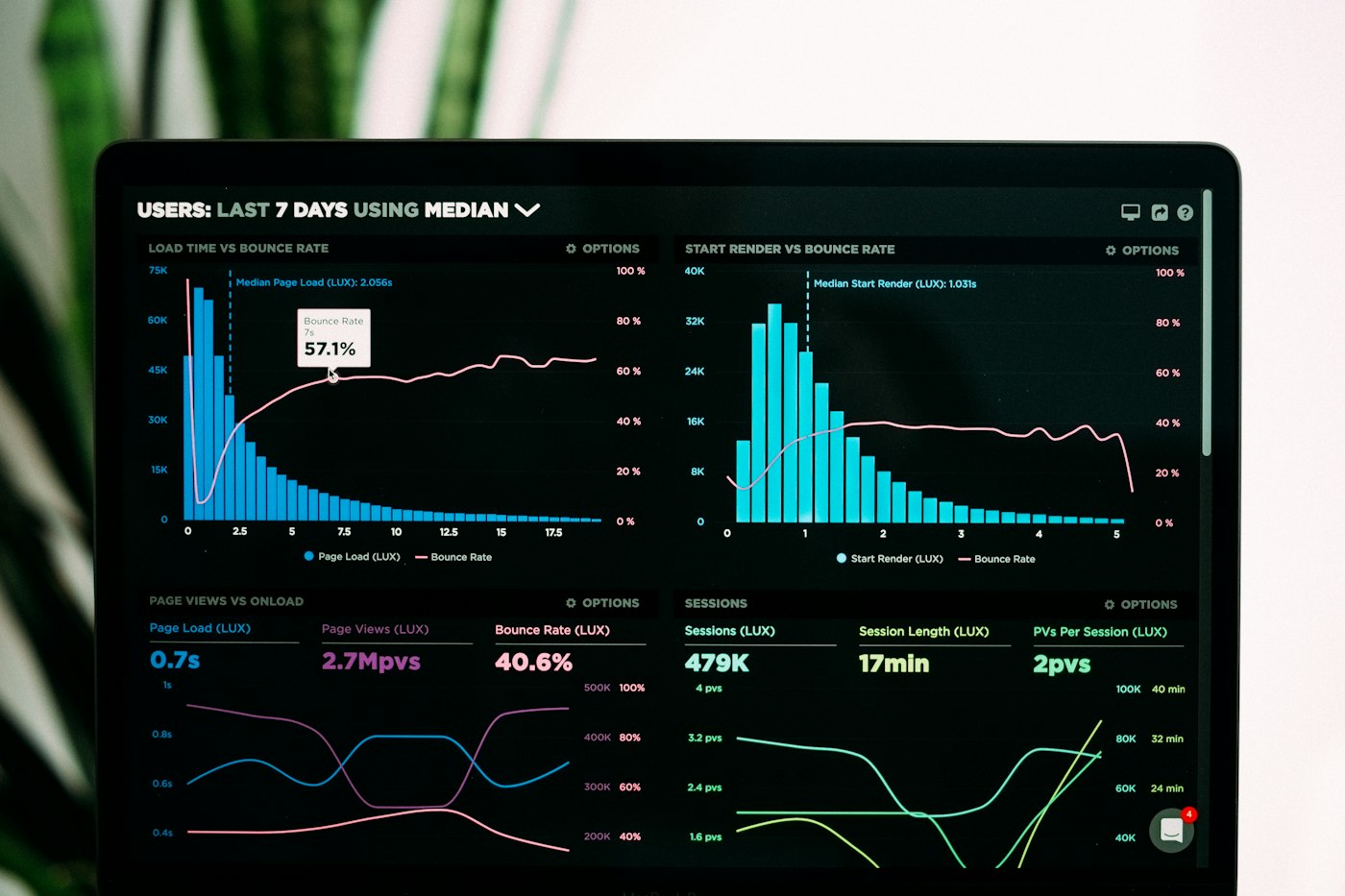
Connected systems, failures, lag and recent events. Sample data only.

Sample
Source-of-truth fields, sample payloads, secrets removed.

Sample
Checks on realistic items, plus a clear note of what was not tested.

Sample
Who is alerted, how to pause, and how to retry a failed item.
How we work
Clear acceptance criteria. Other applications stay where they are unless you choose otherwise.
Boundaries: we do not promise uptime SLAs on this page. Complex custom APIs, migrations and multi-flow programmes are scoped separately. Full rewrites sit under application modernisation.
How engagement works
These are scope boundaries for evaluation. Final terms follow qualification. No unapproved public pricing.
Assess
Feasibility review
Not a full audit or multi-system redesign.
Request assessmentConnect
Quoted after qualification
Separate: licences, complex custom APIs, migration.
Discuss a connectionOperate
Separate agreement
No unlimited support. No uptime guarantee on this page.
Discuss careExpand
Individually scoped
Quoted after a successful Connect, or when you clearly need more than one flow.
Discuss expansionStraight answers on fit, failures, legacy systems, ownership and pricing. The contract still sets the exact terms.
Usually yes when APIs, webhooks, files or databases can exchange the record. We confirm compatibility in the assessment. Vendor limits and custom APIs are scoped separately.
We design an explicit failure path: keep the payload, alert a named owner, retry with backoff, and escalate. The destination system should never look successful when the write did not happen.
Yes, when a controlled wrapper is safer than a rewrite. File drops, older SOAP and brittle scripts can sit behind a modern path. Full replacements belong under application modernisation.
You own the process and data in your systems. Operate defines monitored connections, hours and exclusions. We do not claim unlimited support or guaranteed uptime on this page.
Least access, prefer your accounts, and keep secrets out of the form and out of sample payloads. Handling details are written into the engagement agreement.
An architecture diagram, field mapping, sample payloads, test evidence, a monitoring view and a recovery runbook for the scoped flow.
Assess reviews feasibility. Connect and Expand are quoted after qualification. This page does not publish a public price list. Commercial figures need internal approval before anyone commits.
Qualified enquiry
Tell us which systems disagree. We triage fit and reply with the one flow we would connect first. Your submission creates a New lead, not an automatic Qualified opportunity.
Your enquiry is logged as a New lead. A person will triage it. This is not yet a Qualified opportunity.